A cargo-volume total does not prove that a shipment fits. A spreadsheet can remain your source of cargo data while a 3D load plan helps you review placement, handling rules and the loading handoff.
Many logistics teams start with a spreadsheet. It is already part of their workflow, and for a while it seems to answer the only question that matters: will this shipment fit? A column of lengths, a column of widths, a column of heights, a multiplication, a sum, and a comparison against the cubic capacity of a container. The number comes out under the limit, the truck is booked, and the job is done.
Then the truck arrives at the dock and two pallets might stay behind. This is an illustrative planning scenario, not a reported customer result.
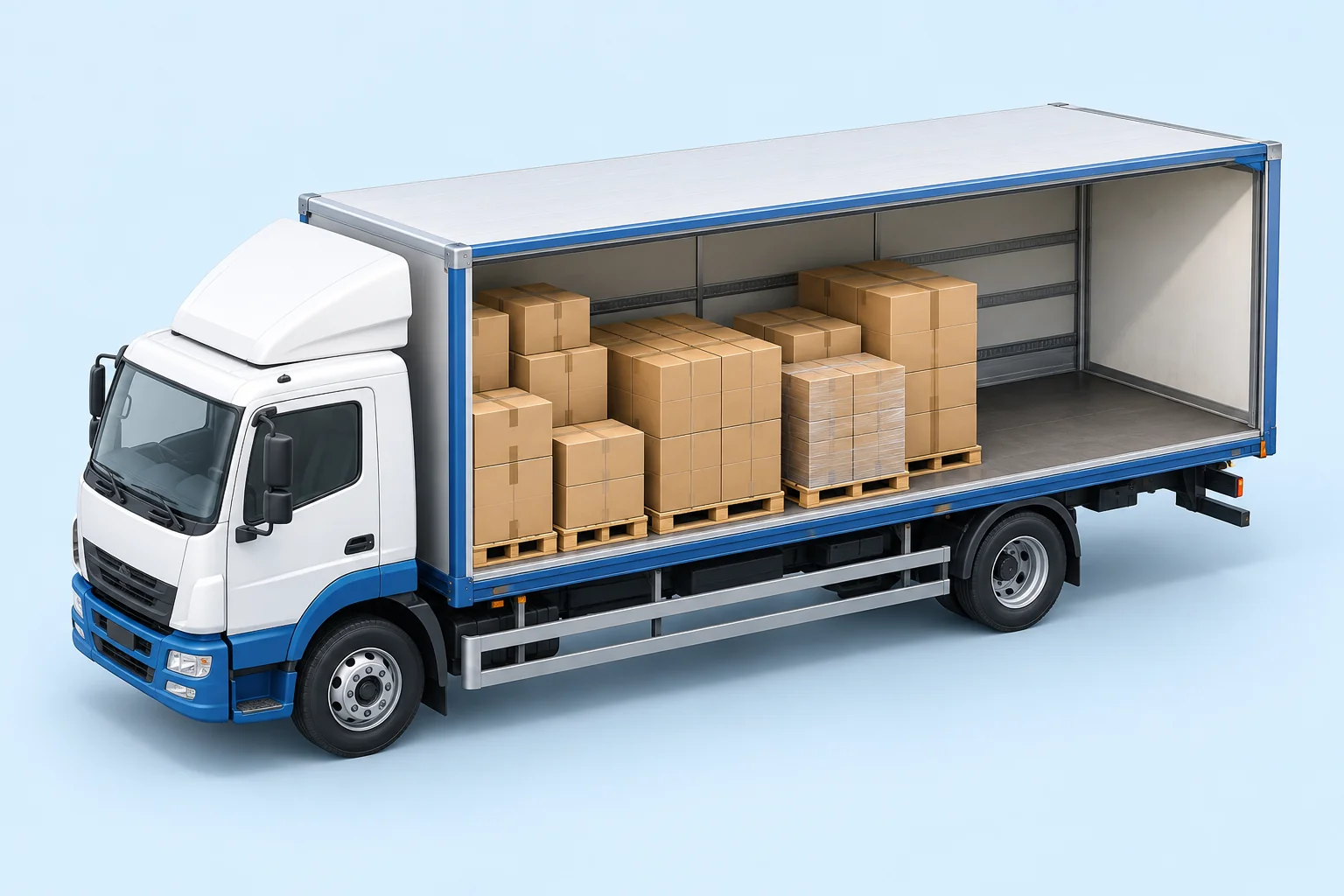
A shipment worksheet records the cargo. A loading layout shows where each shipping unit can go. Illustration, not a calculated loading plan.In this guide
A basic CBM spreadsheet compares volumes. A vehicle holds shapes. Those are different parts of the planning problem, and the gap between them is where a volume-only method can fail.
Cargo volume is a necessary space check, but it does not describe an arrangement. Real boxes leave gaps at the top of a tier, along the side walls, and around any item that cannot be turned. Even a total below the container's internal volume does not prove that the doors will close.
The reverse can also happen. A planner who has been caught short starts padding the estimate and books an extra vehicle before testing an actual layout. Both errors can come from the same root cause: the spreadsheet never modelled the geometry.
Start with accurate outside dimensions. Our cargo volume guide explains the CBM calculation; the container loading example shows why volume and placement need separate checks.
Four things a basic volume spreadsheet does not show
1. Where each item goes
A sum does not tell you whether 132 cartons of six different sizes can be arranged inside a 13.6 m trailer. That illustrative question requires a placement model, a checked drawing or a suitable loading algorithm: the answer depends on the positions and orientations of the items.
2. Whether the arrangement respects handling rules
Real cargo has limits on how high it may be stacked, how much weight may sit on top of it, and which way up it may travel. A spreadsheet can store those numbers in a column. A basic volume formula does not apply them to an arrangement. Check which restrictions your planning method represents and review the result against the actual cargo requirements.
3. How weight is distributed
A road shipment is not constrained by total weight alone. What each axle carries also matters. Two loads of identical tonnage can produce different axle readings depending on where the heavy pallets sit. A spreadsheet needs a separate, validated model of item positions and vehicle geometry to calculate this.
4. What the warehouse should load first
A volume total is a number. The loading team also needs a layout: what goes in first, what goes on top of what, and where the heavy items belong. Producing that layout requires a drawing, an established loading pattern or a spatial planning tool.
Compare the work required by each method
Task
Basic Excel cargo list
3D load planning
Dimensions, quantities and weight
Store rows and calculate totals.
Enter or import the same checked cargo list.
Placement
Add a separate drawing or custom model.
Review item positions in the loading space.
Cargo restrictions
Record rules and check the arrangement separately.
Set supported rules and verify the resulting plan.
Loading handoff
Prepare a layout and instructions.
Review the available report with the warehouse.
Excel can support custom models and drawings. The comparison is with a basic cargo list and CBM total, not with every possible spreadsheet solution.
What the numbers look like instead
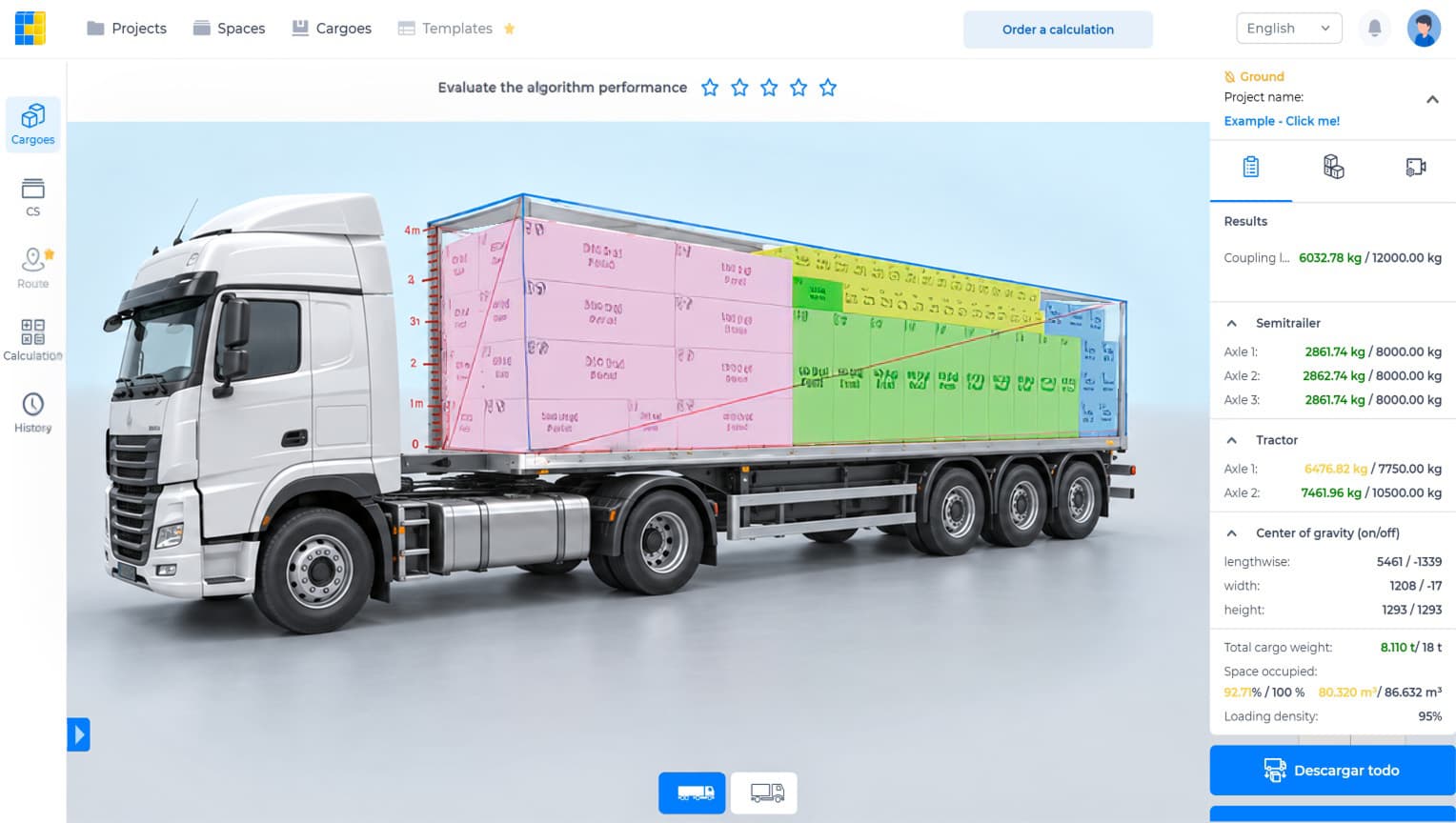
The CargoTetris product demonstration shown below displays 80.320 m³ of 86.632 m³ and 8.110 t against an 18 t configured cargo limit. That is about 93% of the volume and 45% of the weight limit.
Readings from the product demonstration – not a customer savings claim
Check
Calculation
Result
Volume occupied
80.320 ÷ 86.632 × 100
92.71%
Cargo weight / configured limit
8.110 ÷ 18 × 100
45.06%
Tractor front axle / configured limit
6,476.82 ÷ 7,750 × 100
83.57%
A sheet that checks only tonnage could make this load look far from capacity. The volume figure and the front-axle reading tell different parts of the story. No one utilisation percentage describes the whole vehicle. Configured limits and calculated axle loads still need to be checked against the actual vehicle, cargo and operating requirements.
Actual product image from the CargoTetris website. The table above reproduces its displayed values; it is a demonstration, not an independently measured transport outcome.
Keeping the data you already have
A common objection is the migration effort. Cargo lists already live in spreadsheets: use the product's import template, fill it with your dimensions, weights and quantities, and import your cargo data. Check the imported rows against your source list before calculating.
CargoTetris provides a 3D view and available PDF or Excel reports for the next stage of the workflow. Review the report with the warehouse team. Confirm any specialised import or export requirement in the product before relying on it.
When a spreadsheet is still the right tool
If you ship one product in one carton size on full pallets into the same container week after week, a spreadsheet can remain useful alongside a validated, repeatable loading pattern. Recheck the pattern whenever dimensions, weights, packaging or equipment change. A CBM calculation covers the volume side of the task.
When the shipment becomes mixed, stacking restrictions change or axle-load distribution matters, a volume-only sheet is no longer enough. The useful question is whether your complete planning method represents those constraints.
Try it on a real shipment
The fair test uses your own cargo data. Take the last shipment you planned by hand, enter it, and compare the result with what actually went on the truck.
Keep the same input listUse checked outside dimensions, quantities, weights and handling rules.
Choose the actual loading spaceUse the vehicle or container dimensions relevant to the shipment.
Review the arrangementCheck the placed quantities, orientation and supported restrictions.
Compare the complete workflowRecord preparation, calculation, corrections and handoff time for both methods.
Judge the plan with the loading team. A geometric layout does not replace packaging-strength checks, cargo securing or the checks required for the actual vehicle.
Watch the CargoTetris workflow
See the English product walkthrough, from cargo data to loading instructions. Duration: 7:52.
Try your shipment in CargoTetris
Create an account and test a 3D loading plan with your own cargo data and operating requirements.
A container load calculation should show which items are placed, where they go and which rules the arrangement assumes. A CBM total answers only part of that task.
Mixed pallet planning combines different box sizes with height, weight and support limits. An average box volume cannot tell you how the layers should be arranged.