
Container load calculator: from cargo list to loading plan


A container load calculation should show which items are placed, where they go and which rules the arrangement assumes. A CBM total answers only part of that task.
Our illustrative 59-carton shipment totals 8.120 m³ and 967 kg. A three-zone arrangement occupies 5200 mm of floor length in a 5900 mm container. The example requires approved two-high stacking for two cargo types.

In this guide
Prepare one consistent cargo list
Use the outside dimensions of the packed shipping units. Keep length, width, height, quantity and gross unit weight for every distinct cargo type. Add the handling rules needed to judge the plan, including permitted orientations and stacking restrictions.
Choose whether the shipment is represented by individual cartons or complete loaded pallets. Entering both as independent cargo would count the same goods twice. If you use pallets, measure the complete loaded unit.
Make missing data visible
An unknown weight is not zero. An unconfirmed stacking limit is not permission to stack. Keep these inputs unresolved until the supplier or loading team confirms them. Preserve item IDs so the calculation can be reconciled with the packing list.
Work through a 59-carton shipment
The following numbers are illustrative inputs, not a customer shipment or an observed software result. All dimensions are millimetres, all weights are kilograms, and each line contains identical packed cartons.
| Type | Outside L × W × H, mm | Quantity | Unit kg | Line CBM | Line kg |
|---|---|---|---|---|---|
| A | 600 × 400 × 400 | 40 | 12 | 3.840 | 480 |
| B | 800 × 500 × 500 | 16 | 22 | 3.200 | 352 |
| C | 1200 × 600 × 500 | 3 | 45 | 1.080 | 135 |
| Total | Three cargo types | 59 | – | 8.120 | 967 |
For type A: 0.6 × 0.4 × 0.4 × 40 = 3.840 m³. Repeat for the other lines and add the totals. The shipment weight is 40 × 12 + 16 × 22 + 3 × 45 = 967 kg.
These totals let you check the input list. They do not prove that the goods fit. For more on the volume calculation, see how to calculate cargo volume in CBM.
Build a manually checkable three-zone arrangement
Use an example 20-foot standard-container interior of 5900 × 2352 × 2395 mm, from Hapag-Lloyd’s published example specifications. Confirm the dimensions of the actual allocated unit.
For this model, assume type A and type B packaging has been approved for two-high stacking. Type C remains one high. All cartons remain upright. No pallet bases are included.
| Zone | Rows × across × high | Cartons | Occupied L × W × H, mm |
|---|---|---|---|
| A | 4 × 5 × 2 | 40 | 2400 × 2000 × 800 |
| B | 2 × 4 × 2 | 16 | 1600 × 2000 × 1000 |
| C | 1 × 3 × 1 | 3 | 1200 × 1800 × 500 |
Place the three zones sequentially. Their total length is 2400 + 1600 + 1200 = 5200 mm, the greatest width is 2000 mm and the greatest height is 1000 mm. The rectangles therefore fit within the assumed interior. There is 700 mm of unused length and at least 352 mm of unused width at every zone.
Know what this example proves
It proves the stated geometric arrangement is possible with the stated rectangular dimensions and stacking assumptions. It does not establish an optimal arrangement, a securing method or permission to ship. If the boxes cannot be stacked two high, this particular plan is invalid and must be recalculated.
Check a result before handing it to the warehouse
- Reconcile the counts. Confirm that placed plus unplaced quantities match all 59 units. Do not overlook a cargo line because the view looks full.
- Review the restrictions. Verify orientation, stacking and any sequence requirements against the actual goods.
- Check physical access. Validate the door opening and the movement needed for loading equipment.
- Confirm the operating limits. Review actual container weight limits, weight distribution, packaging strength and the securing arrangement with the responsible team.
- Record the version. If dimensions or quantities change, update the plan and replace the previous loading instructions.
A utilisation percentage is useful only after these checks. A visually dense arrangement with the wrong cargo count or unsupported stacking is not a successful plan.
Turn the cargo list into a CargoTetris plan
CargoTetris provides a 3D load-planning workflow for logistics and warehouse teams. You can enter cargo data or import an Excel cargo list, choose a loading space, set relevant restrictions and inspect the arrangement.
- Create the shipment projectKeep the plan associated with the packing list being used.
- Add the cargoCheck the dimensions, quantities and weights after entry or import.
- Review the 3D resultInspect placement and reconcile any units left out.
- Prepare the handoffUse the available PDF or Excel report and confirm operational checks with the loading team.
The worked arrangement above was calculated manually so that its inputs and geometry are reproducible. Test your own cargo in the service to obtain a product-generated loading plan; do not treat this illustration as a saved CargoTetris project.
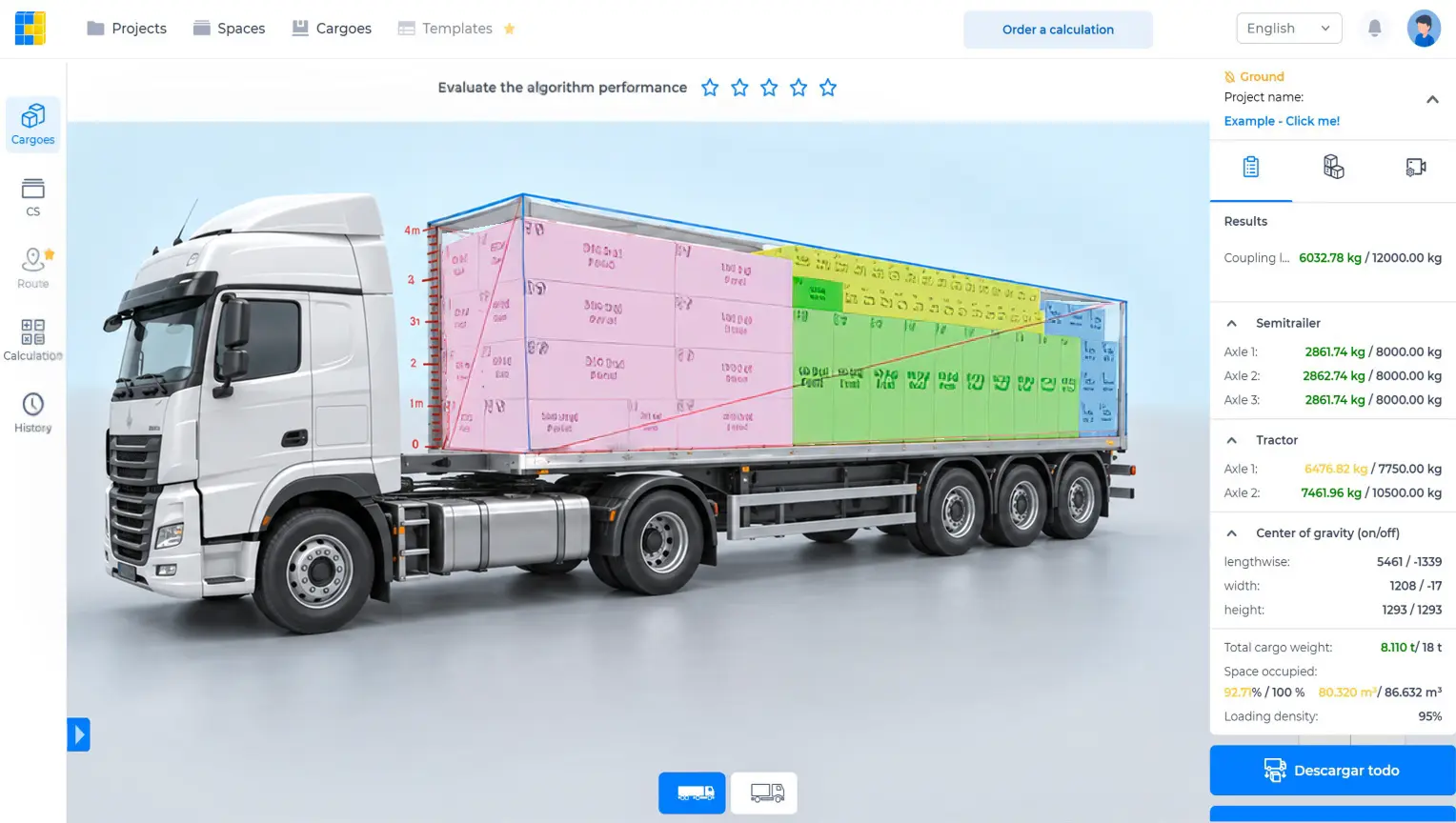
Watch the CargoTetris workflow
See the English product walkthrough, from cargo data to loading instructions. Duration: 7:52.

Container load calculator questions
Is a CBM calculator enough?
It provides a volume total. A loading plan also needs dimensions, orientations, stacking rules and a spatial arrangement. Two shipments with the same CBM can require different amounts of floor space.
Does this guide calculate a live result for my cargo?
No. The tables explain a fixed example. Create an account to enter your own shipment in CargoTetris and review its arrangement.
Can a loading plan replace the loading team’s checks?
No. Packaging strength, physical access, securing and actual equipment limits remain part of the loading process.
Create your container loading plan
Create a CargoTetris account, add your shipment data and review the arrangement in 3D.
Continue to complete registration in the app.
Read also